Sound for storytelling

Make Every Scene Count with Sound Effects

Sound effects give an audience clues about place, movement, distance, and impact. Soundeffect helps you think through the cues a scene needs before you explore audio options. Start with the action on screen, then decide what listeners should notice.

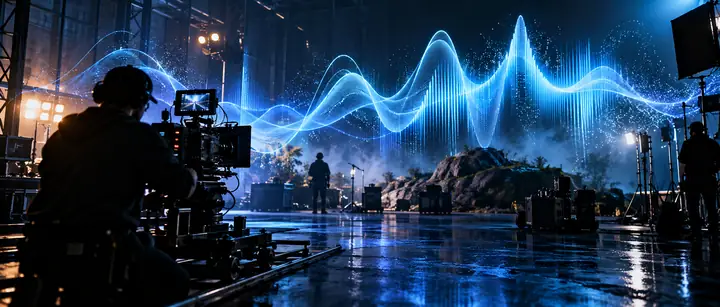
A cinematic night sound stage shaped by luminous blue sound waves

Build the scene one audible layer at a time

A useful sound plan separates the world of the scene from the events that happen inside it. Work through these steps before selecting or creating individual cues.

  1. 1

    Name the setting

    Write down what the listener should understand without looking at the picture: indoors or outdoors, crowded or empty, close or distant. Choose an ambient bed that establishes those conditions without competing with dialogue. A quiet room may need a subtle sense of air and space rather than obvious activity.

  2. 2

    Mark the actions

    List the moments that change the scene, such as a latch opening, footsteps stopping, or an object landing. Give each event a clear start and an appropriate perspective. A door across a hall should not have the same presence as one closing beside the listener.

  3. 3

    Listen in context

    Place the cues against speech, music, and the underlying ambience. Check whether an important action is audible and whether a repeated detail becomes distracting. Adjust timing, level, or the choice of cue before adding more layers; a simpler mix often communicates the action more clearly.

Choose the right layer for the moment

Ambient beds and spot cues solve different storytelling problems. This comparison is a planning guide, not a specification for any particular audio tool.

Ambient bed
Spot cue

Primary job

Ambient bed

Establishes a place or continuing condition.

Spot cue

Draws attention to a specific event.

Typical timing

Ambient bed

Runs beneath a stretch of the scene.

Spot cue

Starts near an action and usually ends soon after.

Example

Ambient bed

Distant traffic heard through a window.

Spot cue

A cup set down on a table.

Listener attention

Ambient bed

Usually remains in the background.

Spot cue

May briefly move into the foreground.

Editing priority

Ambient bed

Avoid noticeable gaps or distracting repetition.

Spot cue

Align the onset with the visible or implied action.

Common mistake

Ambient bed

Making the setting so busy that speech loses clarity.

Spot cue

Using a cue whose size or distance contradicts the scene.

Best first question

Ambient bed

What kind of place should the audience hear?

Spot cue

Which action must the audience register?

Know what a sound plan cannot settle

Planning helps you choose purposeful sound effects, but the final result depends on the actual audio, its rights, and how it sits in the edit.

A description is not an audition

Words such as heavy, metallic, or distant can guide a search, but they cannot reveal a recording’s exact texture, background noise, or tail. Two cues with the same description may feel very different against the picture.

Workaround

Listen to candidates alongside the scene rather than judging them by their names alone.

This page does not verify usage rights

A sound that fits creatively may still have license terms that do not fit your distribution plans. Do not assume that finding or generating an audio clip grants unrestricted use.

Workaround

Read the terms attached to the specific source and keep a record of the audio you use.

Sound cannot repair unclear storytelling

An emphatic cue can highlight an action, but it cannot always explain confusing geography, inconsistent movement, or a cut that hides the cause of an event.

Workaround

Check the sequence without added cues first, then use audio to support what the scene already communicates.

More layers are not always more convincing

Stacking impacts, movement, ambience, and music can mask the detail the audience needs to hear. This is especially noticeable on small speakers or beneath dialogue.

Workaround

Identify the scene’s focal sound, reduce competing layers, and review the mix at a comfortable listening level.

Take your scene from plan to listening

Explore a sound direction for your next scene

Bring a clear description of the setting, the action, and the listener’s perspective when you explore audio options. Audition what you find in context, and check its suitability and terms before using it in a finished project.

Explore audio options
  • Describe the setting
  • Identify the key action
  • Review the result in context

Frequently asked questions about scene audio

A sound effect often marks a particular action, such as a key turning or a glass breaking. Background ambience conveys an ongoing environment, such as ventilation or distant traffic. A scene may need both, but they serve different purposes.

Start with the action’s material, apparent size, and distance from the listener. Then audition a candidate against the picture and the rest of the mix. Timing and perspective often matter as much as the sound’s name.

Yes, if the repeated action calls for it, but identical repetitions can become conspicuous. Small changes in timing, level, or the chosen recording may help repeated events feel natural. Check that variation does not make a single object seem to change character.

No. Select the actions that clarify the story, establish a perspective, or deserve the audience’s attention. Leaving minor movements quiet can preserve space for dialogue and make important cues more effective.

Listen to it with dialogue, music, and ambience at the level you expect an audience to use. If the cue distracts from a more important moment or sounds much closer than the picture suggests, reconsider its level or placement. Check again on more than one playback device.

Start creating
Start creating